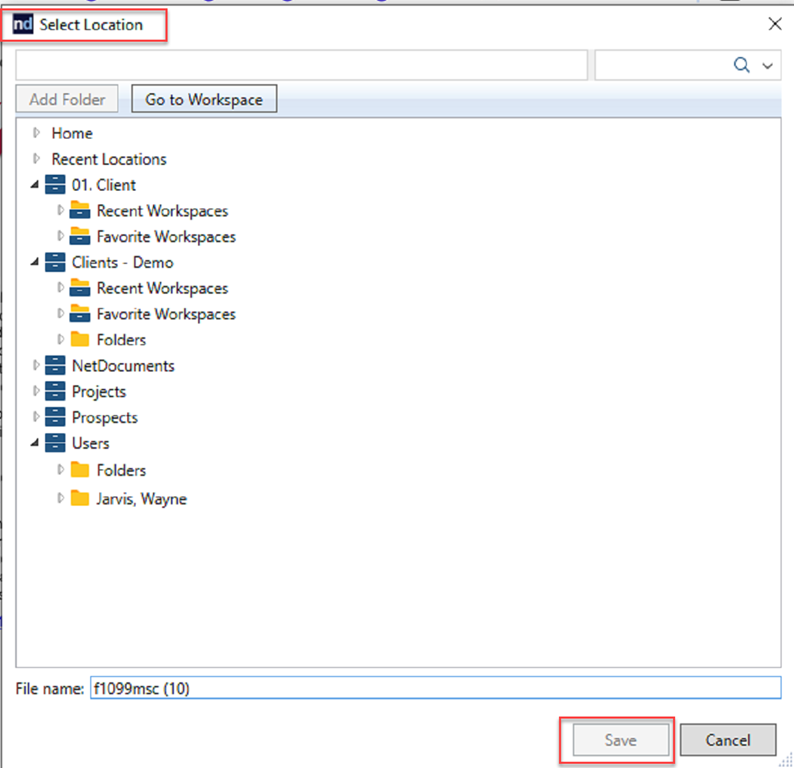
If you’ve ever found yourself downloading a document from a website only to manually upload it to your document management system, you know how tedious that extra step can be. The NetDocuments Chrome extension was built to eliminate this friction and make document management smoother and more efficient.
What Is the NetDocuments Chrome Extension?
The NetDocuments Chrome extension is a free add-on that simplifies uploading documents stored in NetDocuments to other websites and vice versa. Think of it as a bridge between NetDocuments and the web platforms you use every day, whether you’re working with court filing systems, client portals, or any other website that requires document uploads.
How It Works
The extension integrates seamlessly with your browser workflow. Once you connect a website to NetDocuments, the extension adds a NetDocuments window to that website’s Browse or Upload button. From there, you can select files directly from your NetDocuments repository without the need to download them to your local machine first.
When you download a PDF or other document from a website, NetDocuments automatically opens, allowing you to quickly save the document directly into your NetDocuments system. This automatic prompt ensures that important files are captured and organized in your document management system immediately, rather than languishing in your Downloads folder.
Tips on setting up the Chrome Extension
- How to install the NetDocuments Chrome Extension
- How to install the NetDocuments Chrome Extension in Microsoft Edge
- How to configure your web browser settings to work with the Chrome Extension
If you don’t see the Google Chrome Extension, please follow these steps to troubleshoot your issues.
How to use the Google Chrome Extension
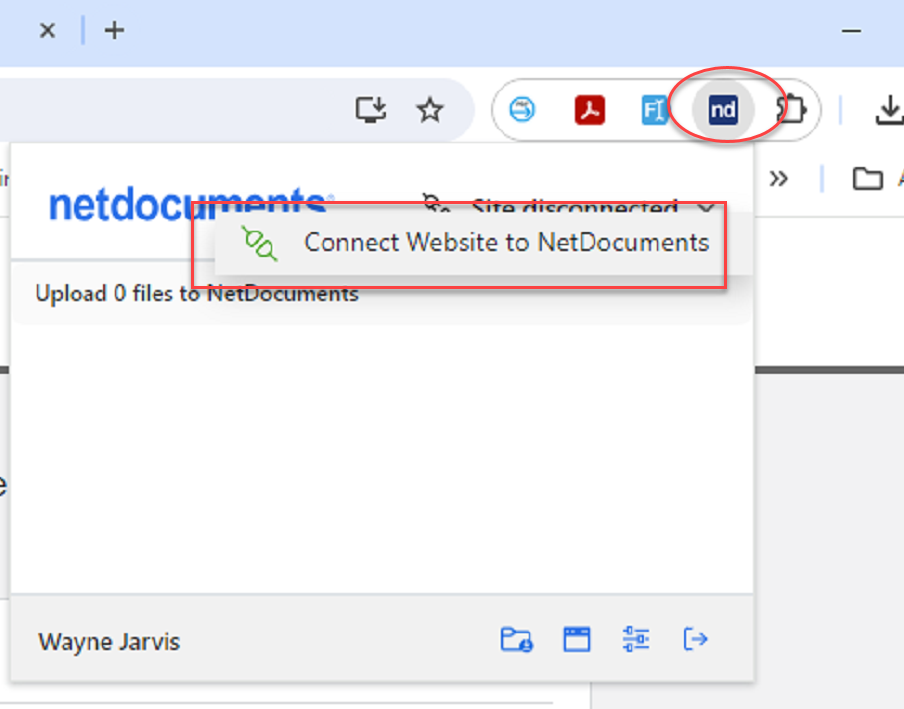
Step 1: Connect the website to NetDocuments
Step 2: Profile the document you just downloaded and click Save