

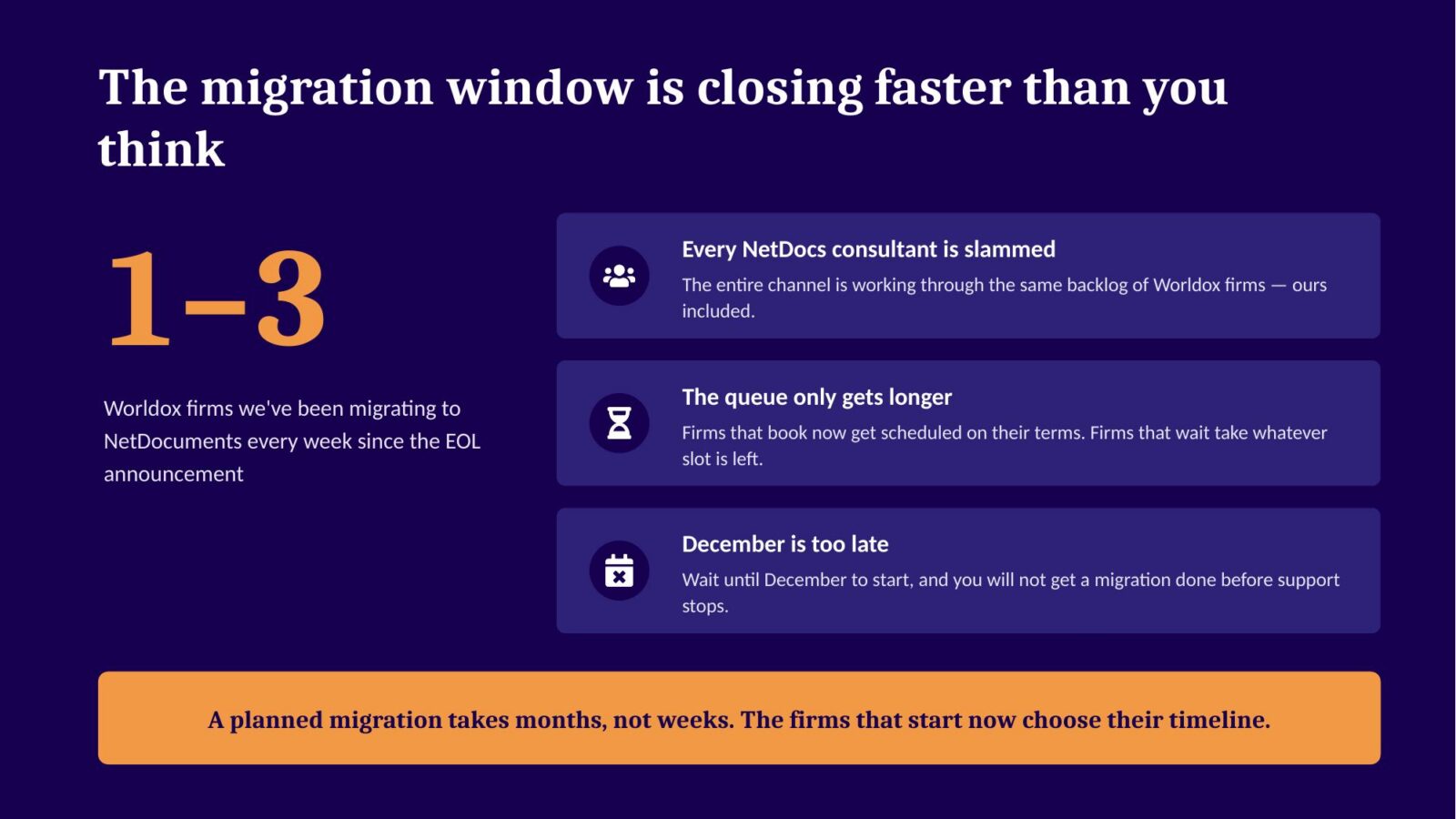
Worldox support ends December 31. Since the end-of-life announcement, we’ve been migrating between one and three Worldox firms to NetDocuments every week — we moved three this past weekend alone, and we’re taking our first weekend off since March. Every NetDocuments consultant I know is working through the same backlog.
That pace has a ceiling. A normal migration takes about a month. If you call someone in December expecting to be moved in December, it’s not going to happen — you’re getting pushed into January or February, past the support cutoff. Not because you can’t afford it. Because nobody will have a slot.
I covered all of this in last week’s webinar with David Malick of RichardsonClement, P.C., whose firm made this exact move in May. You can watch the full recording here:
If you’d rather read, here are the arguments that landed hardest — including a few things about Worldox that most firms haven’t thought through yet.
“I Thought It Was Going to Be a Horrible Day. It Was Uneventful.”
David’s firm is nine people. They ran Worldox through a remote desktop, alongside Tabs3 on-premise — and when support ended was announced, they looked hard at the practice management route before choosing NetDocuments.
He was the point man for the migration, and he didn’t sugarcoat what that felt like:
“Concern is an understatement. I was very anxious, because I thought if this goes south, it’s going to fall on me… I thought when we came back after the migration weekend for that first Monday that it was going to be a horrible day — a no good, very bad, terrible, horrible day. But it was uneventful, which I’m so thankful for.”
That’s the whole story of a properly planned migration: the anxiety is real, and the Monday is boring.
His firm didn’t just swap the DMS, either. They moved Tabs3 to the cloud at the same time and dumped the remote desktop entirely. Now they work from laptops, home, iPads — no VPN, no remoting into anything. More on why that matters below.
Worldox Isn’t Just Unsupported. It’s Frozen.
Everyone knows end of life means no more patches and no more support line. Here’s what fewer firms have realized: Worldox can no longer change at all — and neither can your firm, as long as you’re on it.
Change your domain name? Stuck. A domain change requires a new Worldox product key, and only Worldox support could issue one. That door is closing. Firms rebrand, merge, and get acquired all the time. If that’s you, your DMS becomes the thing standing in the way.
Growing? No new licenses. There is no way to buy Worldox user licenses anymore, at any price. Bring five new people into the firm and there is no legal way to add them to your document management system.
The new Outlook will never work. Microsoft’s new Outlook doesn’t support COM add-ins, and the Worldox Outlook integration is a COM add-in. There’s no development team left to rewrite it. When Microsoft moves your firm to the new Outlook — and you don’t get to pick when — saving emails to Worldox from Outlook is over.
Your DMS is frozen exactly as it was on the day development stopped. Your firm isn’t.
“But Worldox Is Paid For”
I hear this every time, so let’s do the math on the page. A few years ago I ran the real numbers with the IT director of an 80-person firm still running Worldox. For a 30-user firm with 1 TB of documents:
- Backups (offsite) – $6,000 a year
- MSP support for the document server and the indexer PC – $3,600 a year
- Worldox maintenance at $110 a user – $3,300 a year
- Hardware and setup on a 3-year replacement cycle – $2,667 a year
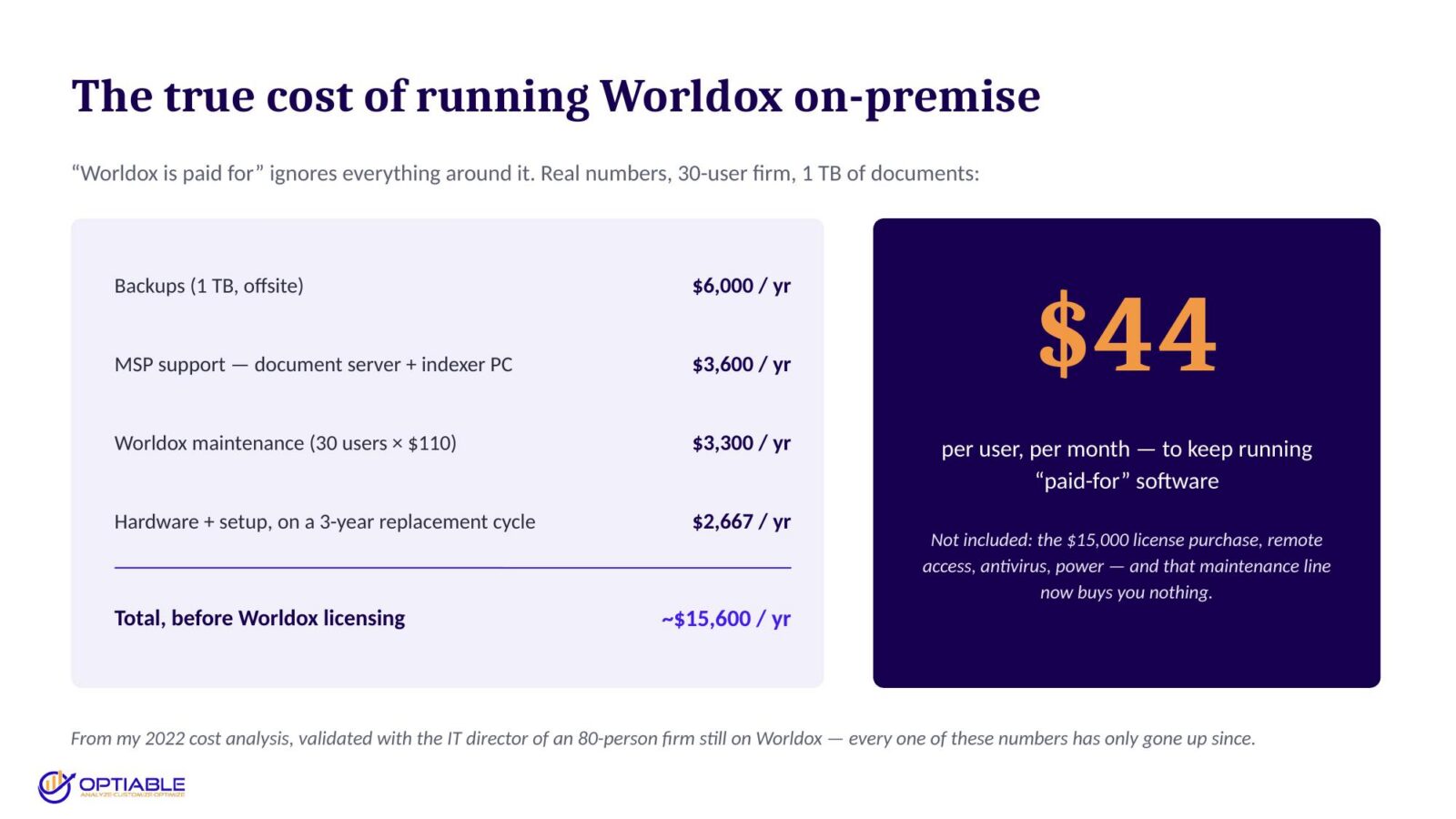
That’s roughly $44 per user per month to run software you think of as free — before the $15,000 the licenses cost, before remote access, before antivirus and power. And that maintenance line item now buys you nothing.
Full breakdown here: What is the True Cost of Running Worldox On-Premise.
Now, the honest answer to “what does NetDocuments cost?” is: it depends on the firm you build around it. Look at what David’s firm did — they didn’t bolt NetDocuments onto their old environment. They moved billing to the cloud too and dumped the terminal server, the backups, and the IT bill for maintaining all of it. Those costs are high, and they go away.
We did the same thing ourselves in 2010. I don’t have a server at my office. Office 365, cloud-based accounting, cloud-based legal DMS — that’s it. If you keep every server and change nothing, then yes, NetDocuments will be more expensive than what you have. The savings come from modernizing, not from the swap alone.
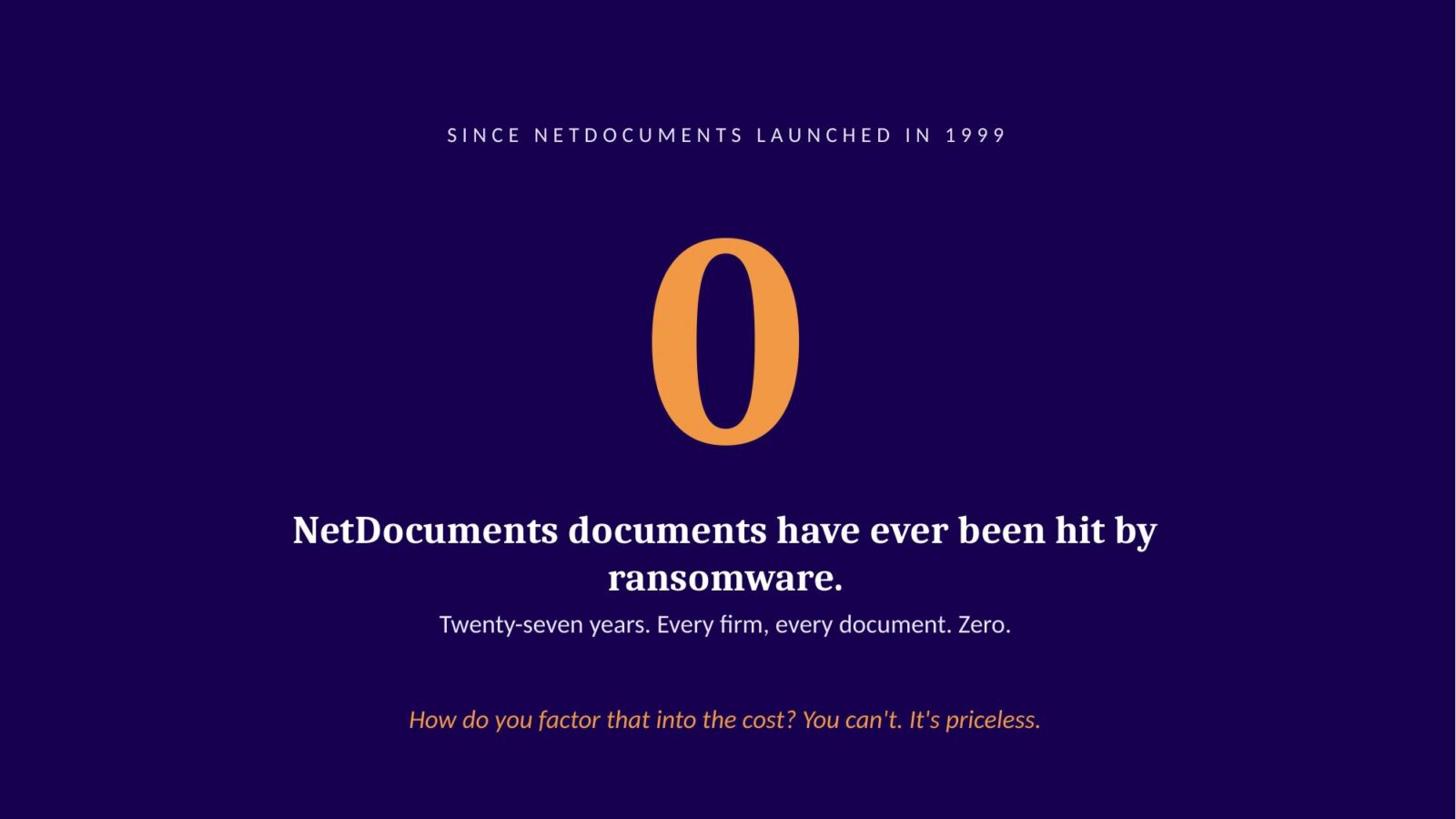
One more line item that never shows up on an invoice: NetDocuments came out in 1999. In twenty-seven years, no NetDocuments document has ever gotten ransomware. Not one, at any firm. There’s no breach-notification letter to send your clients, because there’s no breach. How do you factor that into the cost? You can’t. It’s priceless.
A Toyota Tercel and a Lamborghini Are Both Cars

When people tell me Worldox and NetDocuments are basically the same thing, I agree — the way a Toyota Tercel and a Lamborghini are the same thing. They’re both cars. That’s where the resemblance ends.
I take my laptop from the office to the coffee shop to my house to an airplane, and NetDocuments is the exact same environment in all of them. I’m not remoting into anything. It runs natively on Mac, Android, and iOS — Worldox runs on none of them. NetDocuments has every security certification you’d want; Worldox is exactly as secure as your server, which isn’t very secure. And with Worldox, anyone can go into the Windows folder structure and copy files out without leaving a trace on the audit trail. In NetDocuments, there are no back doors.
The Clio Detour Ends in the Same Place — Minus Your Data
The other thing I hear after the price conversation: “Our practice management software has document management. We’ll just use that.”
A document tab is not a DMS. This goes for Clio, Centerbase, LEAP, LexWorkplace — all of them. Don’t believe me? Ask any of those companies for three to five references: firms that moved from Worldox to their document management and are happy. That’ll put it to bed.
Here’s why I feel strongly about this, and it’s selfish: the thing I hate doing most is moving a firm from Clio to NetDocuments that was originally on Worldox. In those migrations, I can’t move all the data — because it got lost during the Clio migration. The profiles, the security, the structure. At that point, I’m doing a bad migration where I could have done a really good one.
Compare that to a direct move. In a Worldox-to-NetDocuments migration, we replicate virtually everything: clients, matters, profile attributes like author, typist, and doc type, your security, and Worldox projects. We build a search template in NetDocuments that looks like the Worldox search template and set the list view to match. If you were happy with your Worldox setup, we recreate that exact setup — same taxonomy, everything. I don’t think any other program can do that.
The Whole Project Takes About a Month
Here’s the actual timeline, the same one David’s firm followed:
- Week 1 – Implementation meeting. Happy with your Worldox setup? We recreate it. Not happy? We fix what’s bugging you.
- Week 2 – Initial copy of your documents into NetDocuments.
- Week 3 – You test your documents in NetDocuments.
- Week 4 – Friday at 5 p.m., stop saving to Worldox. We run the final migration over the weekend.
Monday morning you’re up and running in NetDocuments, and training starts that day. Your downtime is a Saturday and Sunday, planned weeks in advance.
The Bottom Line
Worldox was great software in its time. But it’s frozen, the Outlook clock is running, the “it’s paid for” math doesn’t hold up, and the cheap detour through a document tab ends in the same place with worse results.
Support ends December 31. The project takes a month, and every consultant’s calendar is filling. The firms that book now get scheduled on their terms — the firms that wait get January, February, or whatever’s left.
Get on someone’s books. Even if it’s not ours.