There are four methods* for exporting documents out of NetDocuments:
- Method 1: ndWeb Export Tool
- Method 2: ndSync
- Method 3: ndMirror
- Method 4: Hire Optiable to Export your Document
*Each user also has the option to download documents. This will export the documents from NetDocuments, but not preserve any folder or filter format.
This article will discuss Method 1: The ndWeb Export Tool
The ndWeb Export Tool replaced the old Mass Export Tool.
From NetDocuments: https://support.netdocuments.com/s/article/ndWeb-Export
Pros:
- It’s easy to use.
- It exports versions.
- You don’t have to hire a consultant
- It will append the doc ID to the name so files won’t be overwritten.
- It creates a metadata file.
- You don’t need to install any software.
Cons
- It does NOT create folders for doc type filters.
- It doesn’t work well with large matters.
- It only allows you to run it for one matter at a time.
- You may encounter issues with file path length.*
- Deleted Items will not be exported.
- Files larger than 1.8 GB must be exported manually.
- It cannot create a zip file over 1.6 GB, so you will need to use multiple Zip Files.
To Turn on the ndWeb Export Tool
Step 1: In the Client Cabinet, create a Top Level Folder called Exports

Step 2: Log in to the Admin Console
Step 3: Create a Group called ndWeb Export Users

Step 4: Assign People who can export to that Group
Step 5: Assign that Group to the Cabinet
Step 6: Add That Group here in the Cabinet Settings

Step 7: Choose the Export Folder you created in NetDocuments

How to use the ndWeb Export Tool
Step 1: Under the Workspace Name, click the Arrow and then Export

Step 2: Choose the following options and then EXPORT

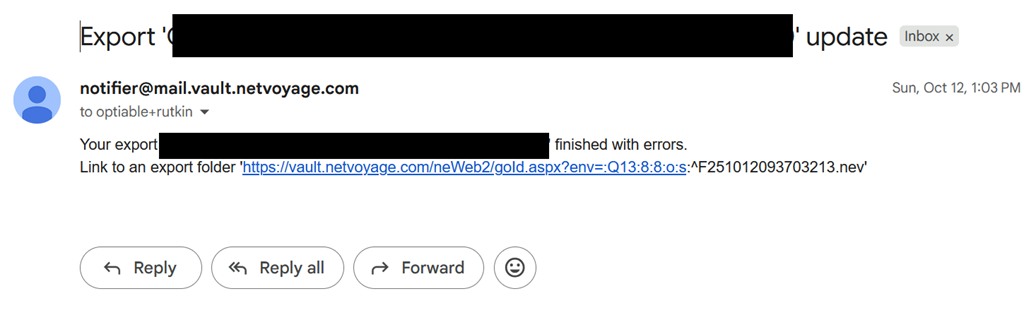
When the export is finished, you will get an email like this:
Step 3: Wait for the Export to Finish