

NetDocuments SetBuilder is a powerful tool that enhances document collaboration and organization for users. It enables you to create custom document sets with ease, offering a streamlined way to manage grouped files. With its intuitive interface, you can quickly assemble, save, and share document collections, improving workflow efficiency and reducing time spent searching for files.
SetBuilder seamlessly integrates within the NetDocuments ecosystem, ensuring secure, cloud-based access to your prepared sets from anywhere. Whether you’re assembling client portfolios, transaction binders, or project materials, SetBuilder simplifies complex tasks while maintaining the confidence and reliability that NetDocuments users expect.
Linking vs. Copying Documents
What is the difference between linking a document and copying a document?
When you copy a document:
- You create an additional copy of the document in NetDocuments
- Regular NetDocuments users will see two documents instead of one
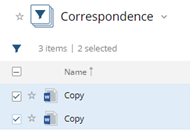
- The copied document will be filed in the Sets Folder
When you link a document:
- You do not make an additional copy
- The linked document will be filed in the Sets Folder
- Changes to the linked document will be reflected in future sets
Managing Sets
What happens when you delete a Set?
When adding a document to a Set, you can either link or copy it. Here’s what happens when you delete the set:
- Linked documents: Any document linked to the Set will be deleted when the set is deleted
- Copied documents: When a document is copied to a Set, and then the set is deleted, the copy gets deleted, but the original stays in NetDocuments
Important: We don’t recommend deleting sets.
Document Properties
Can you change a document’s name in a Set without changing the document’s name?
Yes. The edit button lets you change a document’s name in a set without changing its name in NetDocuments.

When you add a document with versions into a Set, do the versions also get added?
While you can add multiple versions of a document, only the official version can be added to the Set.
Are Document IDs included in the Set?
Yes, Document IDs are not removed from the sets.
Media Files
What happens when you add a Video or Audio File?
A page gets created called “This document can’t be previewed.”
What happens to emails with attachments that get added to a Set?
A page called “This document can’t be previewed” is created. You will not see the email or the attachment.
Document Features
Are the sets OCR’d?
Yes, the PDFs created are text searchable.
What happens to Page Numbers in a Set?
- If a document already has a page number, it will not be removed
- If you add a page number to the set, you will see two page numbers
Removing Documents
What happens when you delete a document from a set?
You can choose to:
- Remove it from the set only, or
- Remove it from NetDocuments entirely
Need Help with SetBuilder?
If you have questions about NetDocuments SetBuilder or need assistance with your document management system, contact Optiable. We’ve helped over 500 law firms successfully implement and optimize NetDocuments since 2010.
Contact us: 1-800-399-0852