

If you’ve noticed old emails mysteriously showing up in your Outlook inbox after opening them from NetDocuments, you’re not alone — and it’s more common than you’d think.
What’s happening
NetDocuments lets you open a stored email directly in Outlook, which is genuinely useful. You can reply, forward, or reference it just like any other message.

But for some users, those reopened emails end up sitting in the inbox indefinitely — as if they were never filed in the first place. It happens randomly, with no obvious pattern, which makes it especially frustrating to troubleshoot.
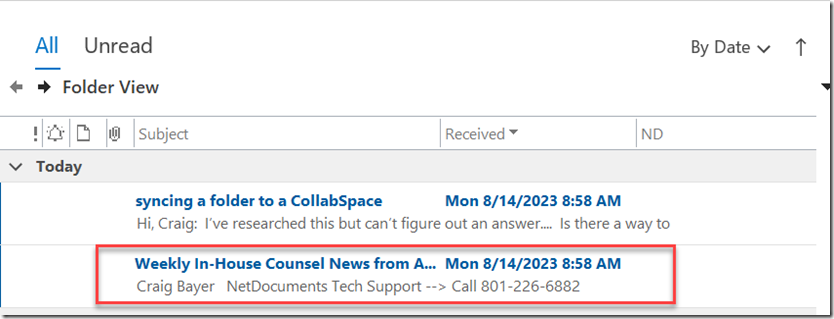
To be clear: this is not a NetDocuments bug. It’s an Outlook behavior triggered by a third-party add-in.
The culprit: Adobe add-ins in Outlook
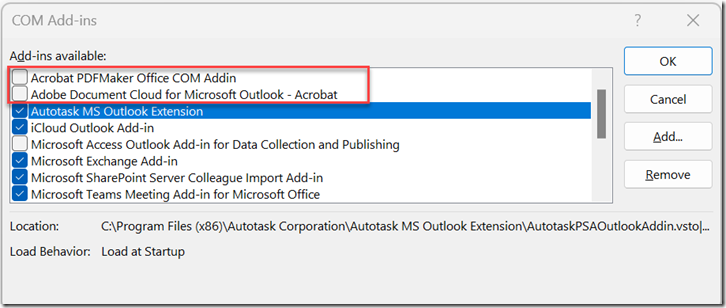
The fix comes from Tony Foy at Peregrine Cloud, who tracked this down to Adobe’s Outlook plug-ins. When Adobe add-ins are active, opening certain emails can cause Outlook to treat them as new or unread — pushing them back into your inbox.
The fix
Disabling the Adobe add-ins in Outlook resolves the issue completely. Here’s how:
- Open Outlook
- Go to File → Options → Add-ins
- At the bottom of the screen, set the “Manage” dropdown to COM Add-ins and click Go
- Uncheck any Adobe add-ins in the list
- Click OK and restart Outlook
If you don’t use Adobe’s Outlook features (most law firm users don’t), you won’t lose any functionality. Once disabled, the problem stops.