

If you’ve recently felt a little nudged (or outright pushed) to switch to the new Outlook, you’re not alone. Many users are noticing subtle tactics Microsoft employs to encourage the transition, from strategically placed pop-ups to default settings that make the change seem almost inevitable. The new version of Outlook has generated significant frustration among its users, leaving many struggling to adapt to the changes. From a confusing interface to unexpected functionality issues, it’s clear that this update is far from meeting user expectations
As you can see from the screen below, I have two Outlooks on my PC.
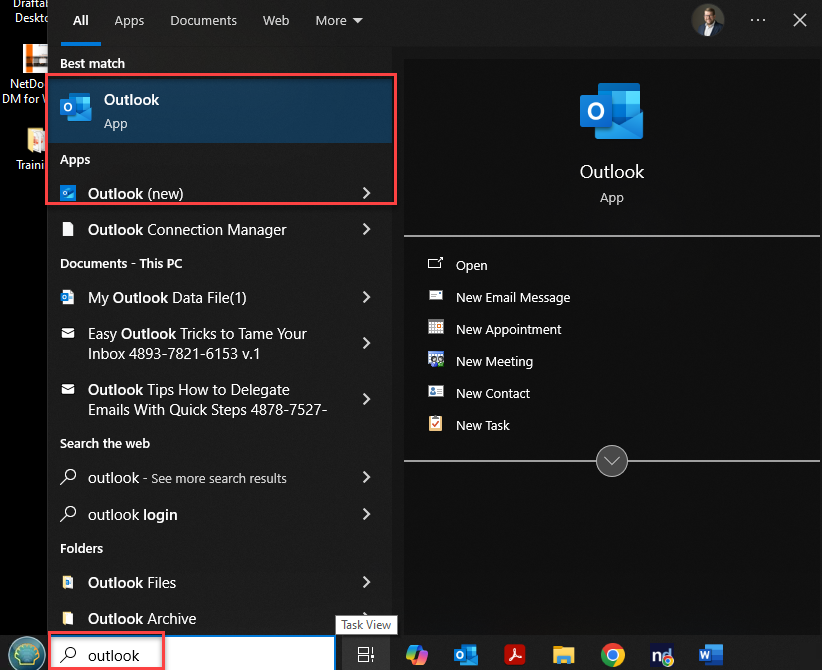
In the new outlook becomes the default email program on your pc, any link from NetDocuments will try to open up in it.
If you are not ready to use the new outlook, you can make your computer open up links in NetDocuments in the old/good version of Outlook.
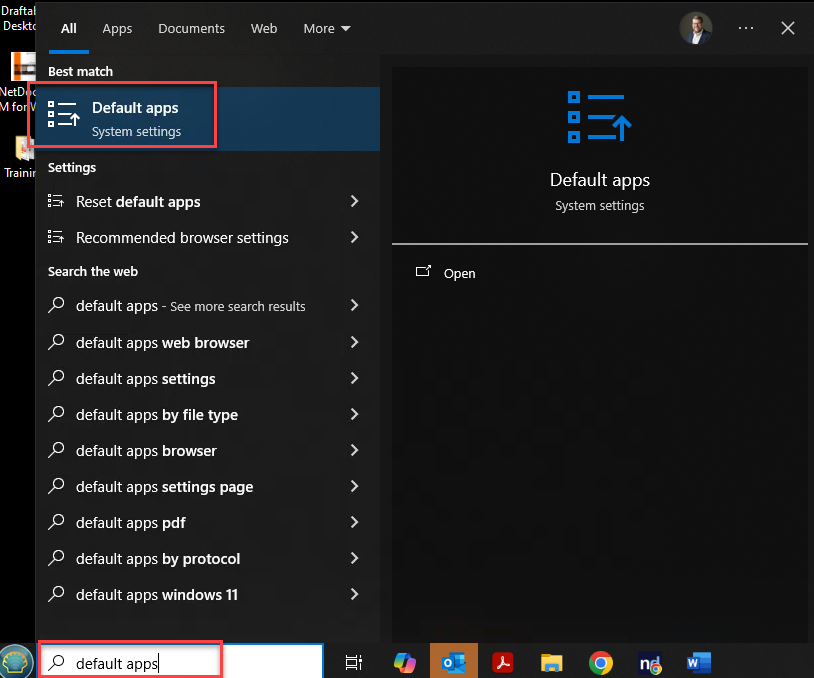
Step 1: Search for Default Apps
Step 2: Click on Email
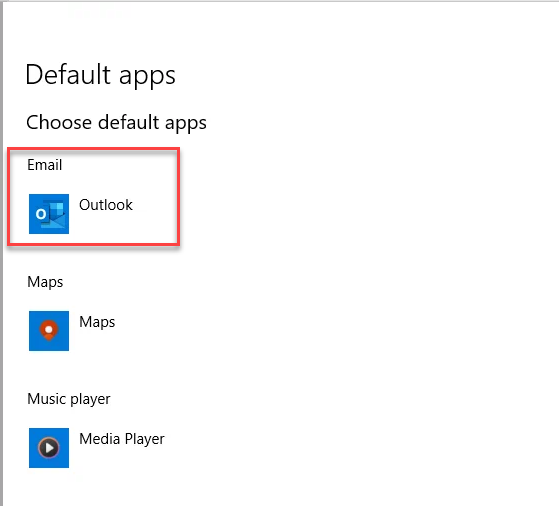
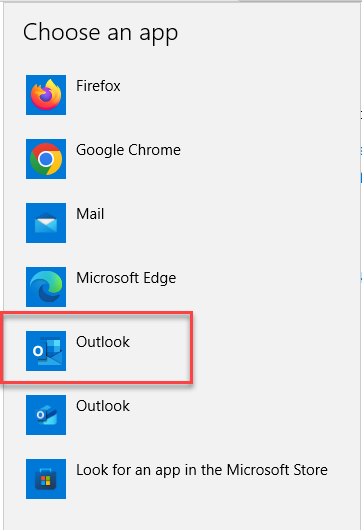
Step 3: Make sure the “Correct” Outlook is selected
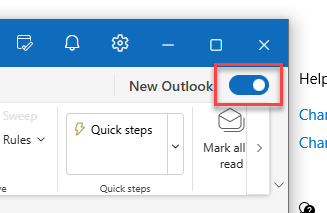
Note: If you have accidently moved to the new Outlook, you can default back to the old one but toggling the switch in top right hand corner:
I am still not a fan of the new outlook and dont recommend you change. Here are some other people that feel the same way: