In today’s rapidly evolving digital landscape, integrating sophisticated tools into our daily work processes has become increasingly crucial for maintaining efficiency and staying ahead. Among these cutting-edge solutions, NetDocuments and Draftable stand out for their ability to streamline document management and comparison tasks. This blog aims to shed light on the seamless integration of NetDocuments with Draftable, demonstrating how easy it can be to enhance your document workflow. Integrating these powerful tools can significantly simplify your life, whether dealing with legal contracts, corporate agreements, or document-heavy projects. Join us as we explore the straightforward steps to harmonize NetDocuments and Draftable, making document handling easier than you imagined.
Draftable is a replacement for Literia\Workshare Compare.
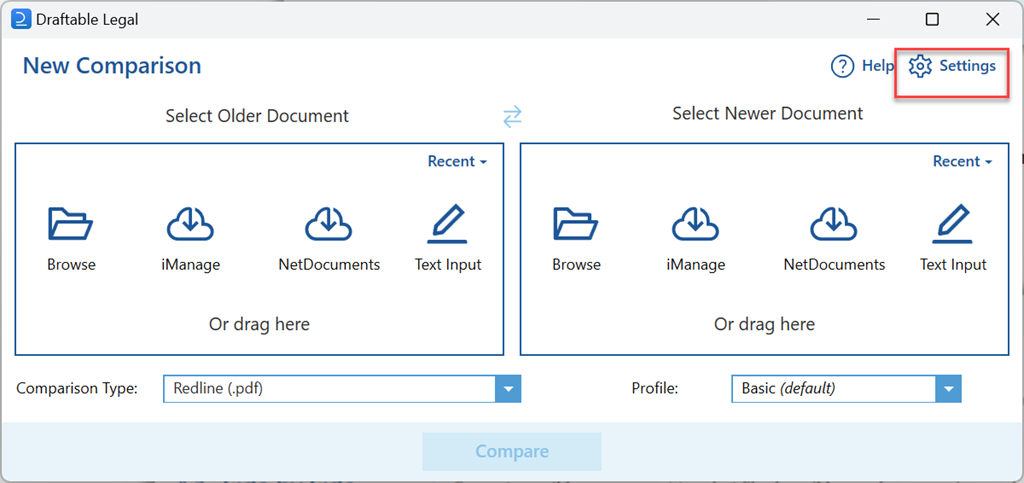
Step 1: Open Draftable and Click Settings
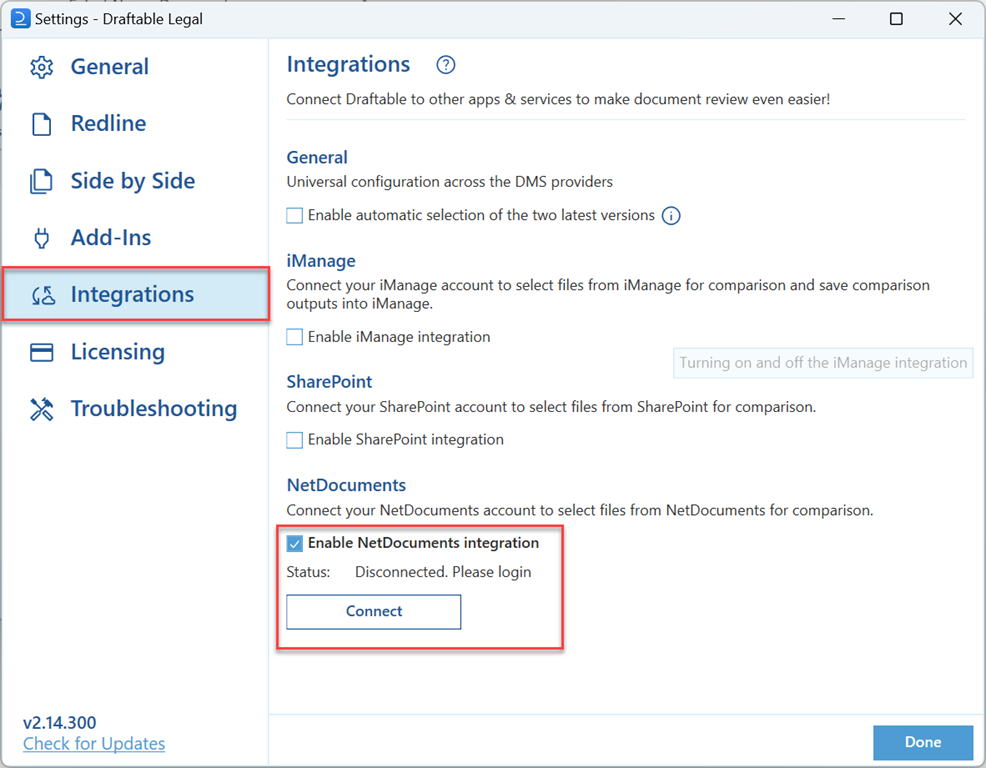
Step 2: Click Integrations and Enable the NetDocuments Integration