

When your firm adds staff, you’ll need to add NetDocuments users to match. Increasing your internal member count takes about a minute in the Admin area — but understand the billing impact before you click Save, because your NetDocuments cost is tied to the number of licensed users.
Before you start — two things to know:
- You must be a repository administrator. Changing user counts happens in the Admin area. If you don’t have access, reach out to whoever manages NetDocuments at your firm.
- This increases what you pay NetDocuments. See the note below.
Heads up — this raises your bill. NetDocuments charges per licensed user. Increasing your internal members adds seats to your subscription, and you’ll be billed for them. Reductions typically don’t take effect until your renewal date, so add only the seats you actually need right now rather than rounding up.
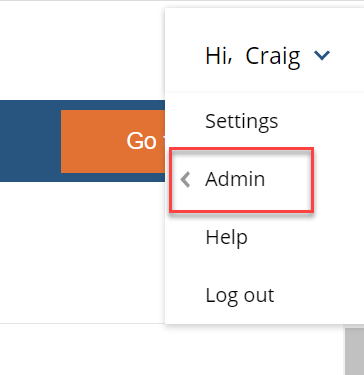
Step 1: Click Hi, FIRST NAME –> Admin
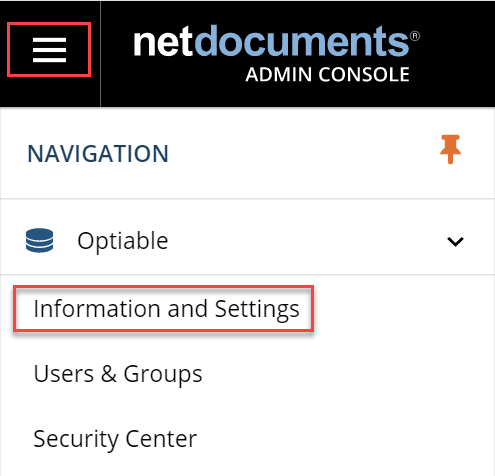
Step 2: Click Information and Settings
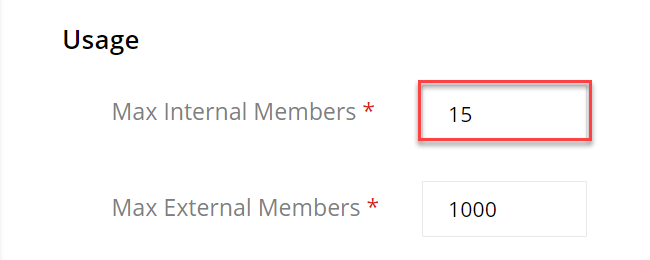
Step 3: Increase the Internal Members (this will result in an additional user charge)
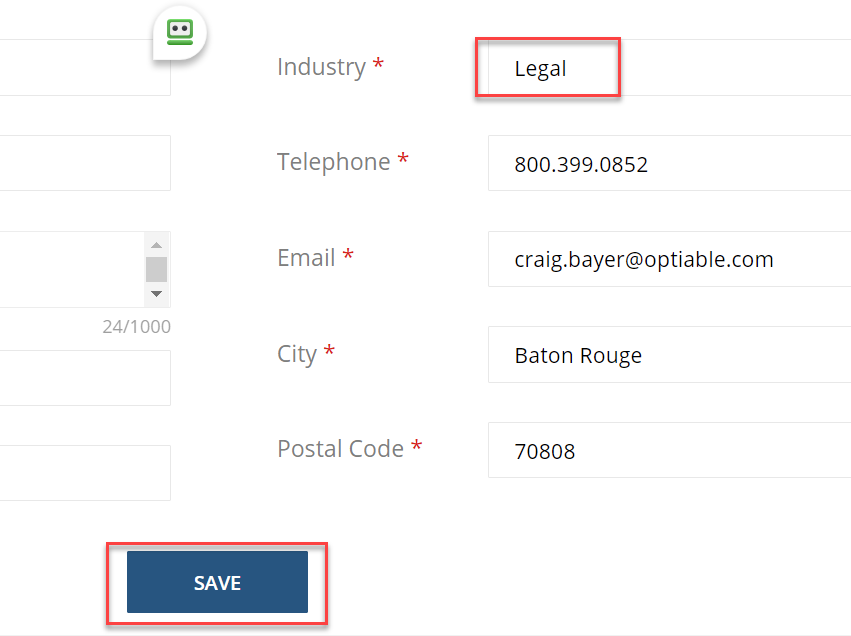
Step 4: Make sure the Industry is filled out and click Save
Increasing your user count is quick, but it’s as much a billing decision as an administrative one. Add the seats you need now, and revisit the count at renewal if your headcount changes.
If your firm needs help managing NetDocuments licensing, planning for growth, or reviewing your subscription, schedule a consultation or get in touch with our team.