

If your documents are in NetDocuments, multiple people can work collaboratively on Word, Excel, and PowerPoint documents simultaneously. And while this exciting feature isn’t new – Google Docs has had it for years – you will need Office 365 to make it happen. The great thing about NetDocuments CollabSpaces is that you can share documents with External Users and they can easily edit them without having NetDocuments on their pcs.
Part 1: Invite Someone To Collaborate
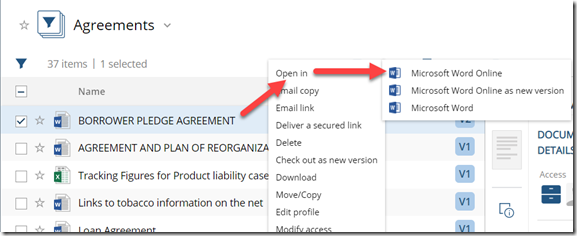
Step 1: In NetDocuments Right Click On A Document –> Open In –> Microsoft Word Online
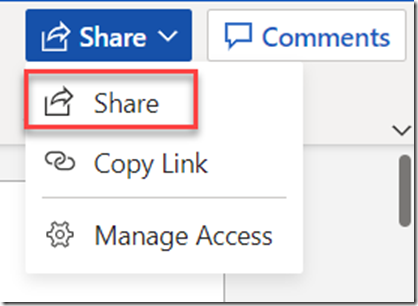
Step 2: Click Share
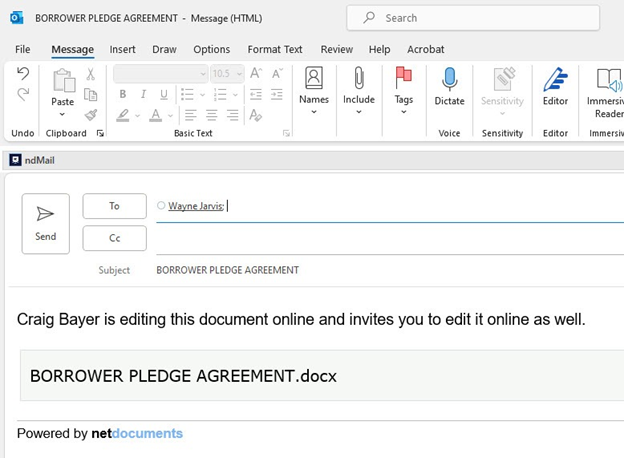
Step 3: Send The Email To Your Collaborator
Part 2: The Collaborator
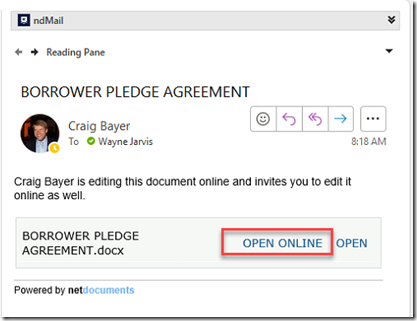
We are now on the other user’s computer. They got the email you just sent.
Step 1: Open The Email
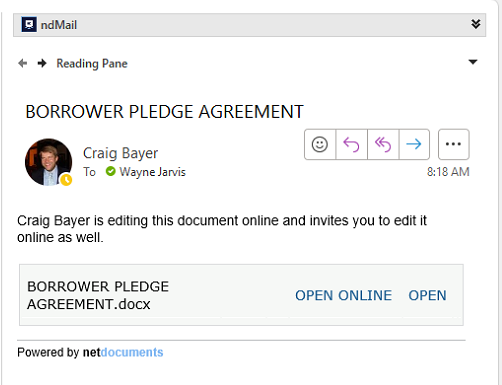
Step 2: Click Open Online
You are now in the Word documents together and can make changes and see them in real time.