

THIS ARTICLE IS OUT OF DATE. PLEASE CLICK HERE TO SEE THE NEW FOLDER IMPORT TOOL.
The NetDocuments Upload button is great for getting small groups of documents into the program, but you can only upload documents, you cannot upload folders. When you get a discovery or a group of documents created for someone, it is a painstaking process to go into each folder and upload the documents in it. Thankfully, NetDocuments has a folder import tool, that allows you to select a folder and it uploads all the documents and subfolders.
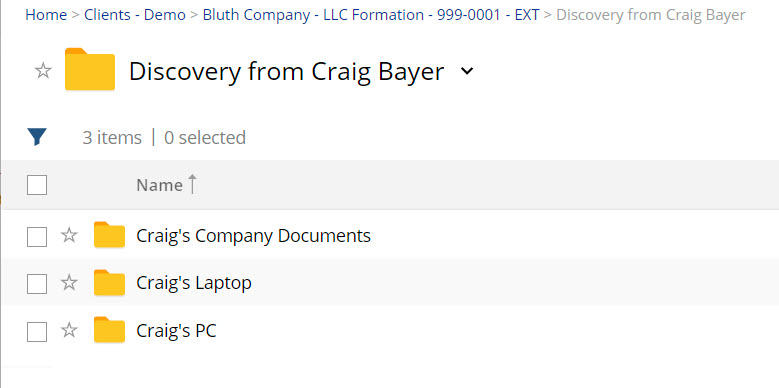
As you can see from the picture above, I was able to upload the Discovery from Craig Bayer Folder and all the documents and subfolders in it.
Step 1: Download the NetDocuments Folder Import Tool
https://vault.netvoyage.com/neweb2/apps/Foldimp.msi
Step 2: Create a Place in NetDocument for your Documents
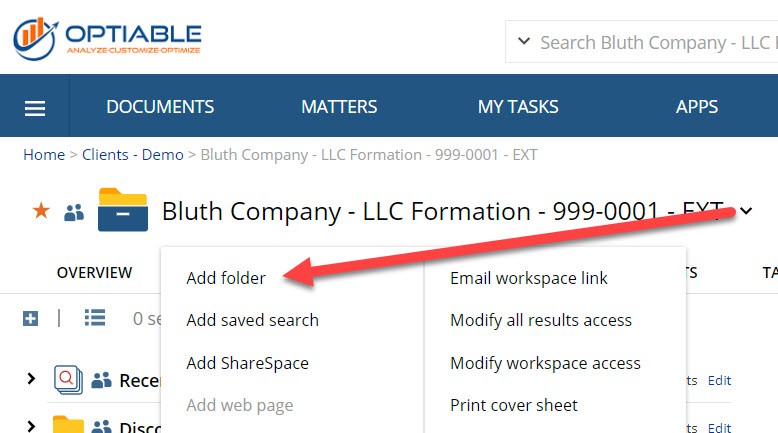
You might already have a location created. If you want to save documents to a Workspace, you can create a folder like seen from above.
Step 3: Launch NetDocuments Folder Import Tool
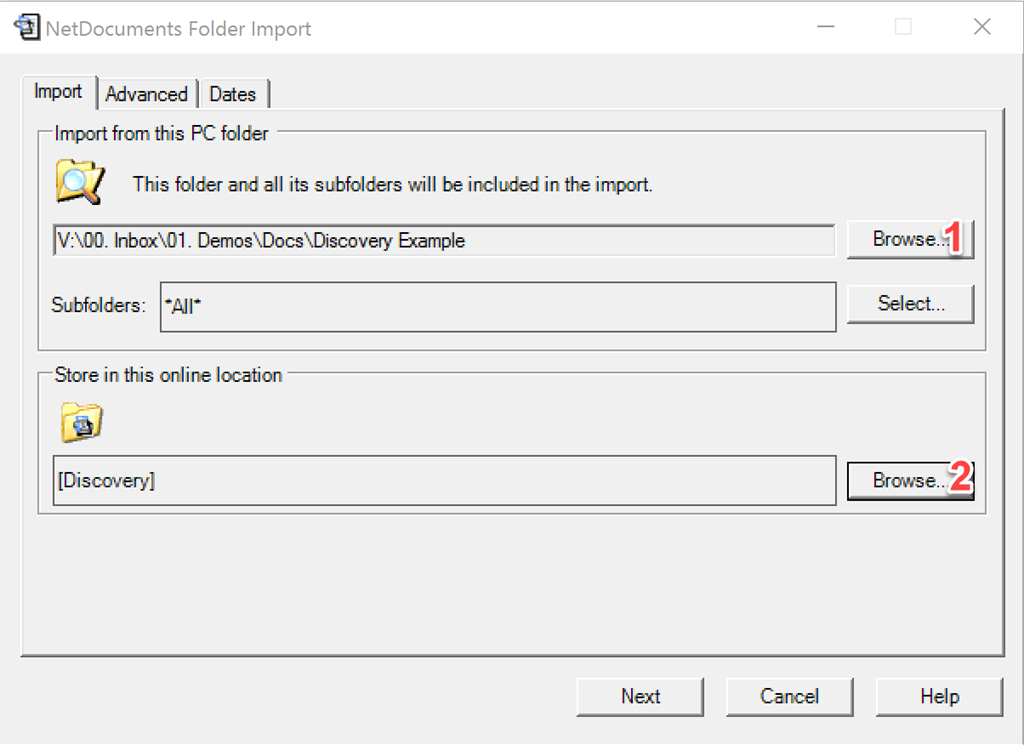
Step 4: Select a Location on your PC (1) and a Location in NetDocuments (2) and click Next
Step 5: Hit Start
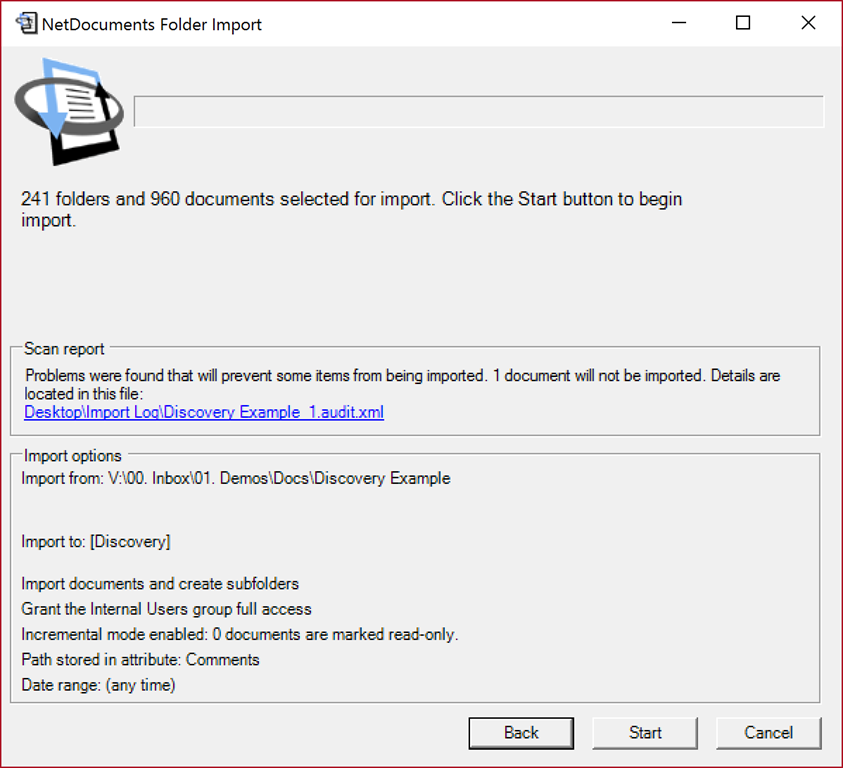
Step 6: Review the import log for anything that wouldn’t go up.
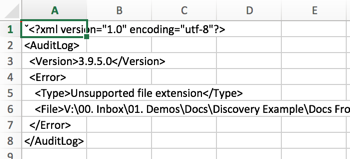
NetDocuments will not import the following:
- Files with no Extension
- Files over 1gb
- Folders that over 1000 files or 500 subfolders
- Anything with the extension of exe, com, bat, js, vbs, pif, cmd, dll, ocx, and pwl.