

Why SharePoint Could Be Costing Your Law Firm Over $250,000 Each Year and What Really Works Instead
Searching for "SharePoint search not working," "Can't find documents in SharePoint," or "SharePoint alternatives for law firms"? You're not alone.
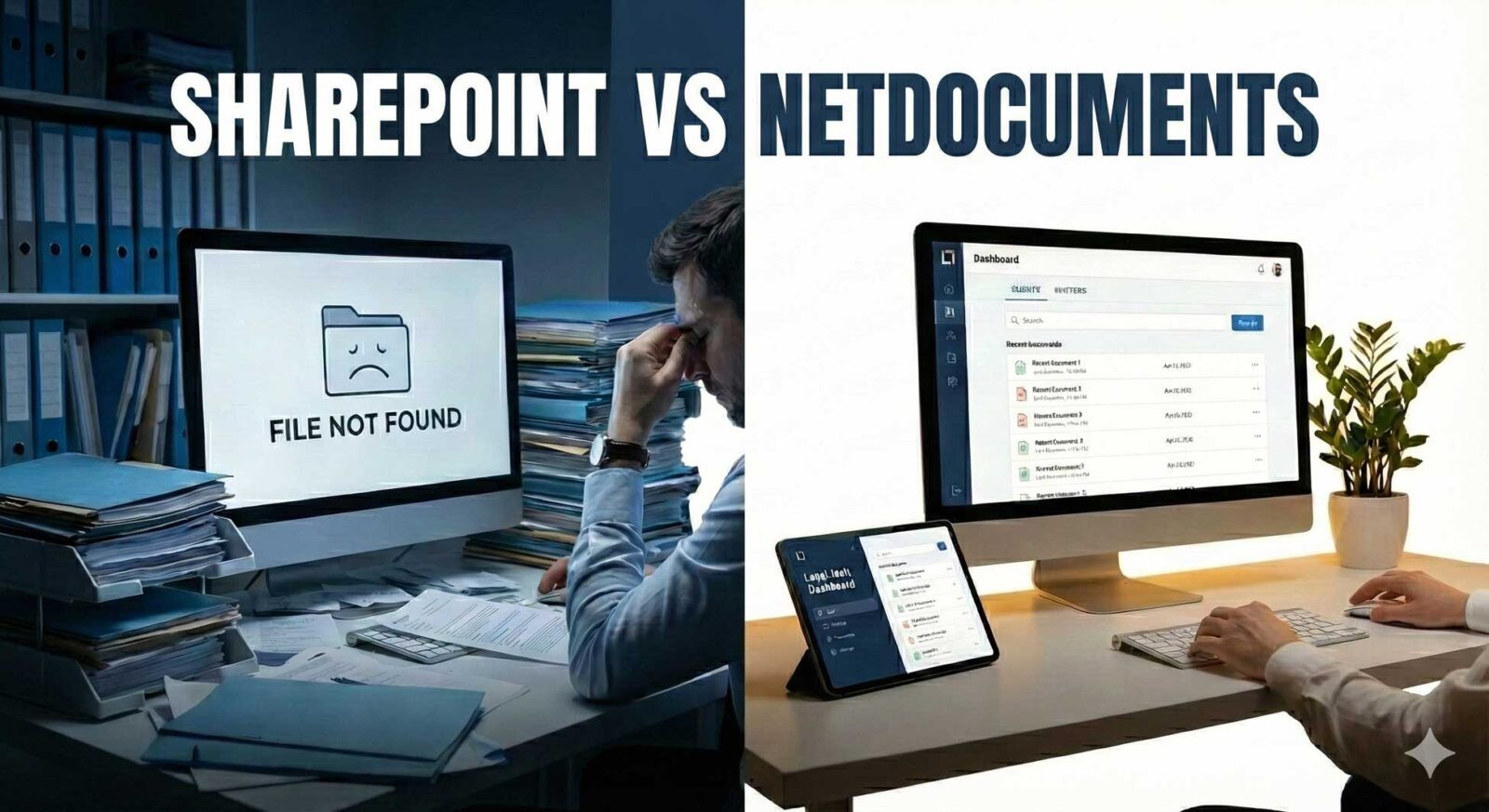
It's 9:47 AM. Your client meeting starts in 13 minutes. You need the 2019 settlement agreement with the indemnification language you want to reference. You type "Johnson settlement" into SharePoint.
Nothing.
You try "Johnson indemnity." Still nothing. You dig through five folder levels. You ask your paralegal, and she checks her version, but gets different results. You finally find it, misfiled under "Johson" due to a typo, in a subfolder that makes no sense. You have two minutes left and you're sweating.
This isn't a bad morning. This is every morning.
Here’s something SharePoint consultants rarely mention: SharePoint isn’t failing because you’re using it incorrectly. The real issue is that it was never designed to be a document management system for law firms.
The Swiss Army Knife Problem
SharePoint is a collaboration platform created for general business use in many industries. It’s meant to handle a variety of tasks like intranets, wikis, team sites, workflows, and some basic document storage.
Imagine using a Swiss Army knife for surgery. It has blades and is sharp, and with enough customization, you might make it work. But you wouldn’t want to. You’d prefer tools made specifically for surgery.
That’s the key difference between SharePoint and a legal document management system like NetDocuments.

10 Ways SharePoint Fails Law Firms - And What Actually Works
1. Search That Doesn't Actually Search
The Problem: The top complaint from law firms is SharePoint’s search. Documents often don’t show up, even when you search for the exact title. Files can disappear from results, and different users may see different results for the same search. PDFs and scanned documents are often not indexed. Sometimes, search indexing turns off by itself, so you end up reindexing sites just to keep things working.
What Lawyers Actually Need: Google-like search that works instantly across all documents, emails, and metadata. The ability to find a 2019 deposition by searching "Johnson deposition" without knowing which folder it's in or what some associate named the file.
The Cost: Associates waste 30 to 45 minutes daily searching for documents. That's 3–4 hours per week of lost billable time per attorney. For a 20-attorney firm: $250,000+ in annual lost revenue from poor search alone.
The NetDocuments Solution: AI-powered search finds documents in seconds, not hours. Full-text search across documents, emails, and metadata. OCR technology makes scanned documents searchable. Predictive search learns your patterns. No maintenance required—it just works.
2. No Client-Matter Organization (You Have to Build It Yourself)
The Problem: SharePoint doesn’t recognize clients, matters, or cases. You have to build complex folder structures, but no one follows them the same way. Each attorney organizes files differently, which leads to confusion. Documents for the same matter get scattered in different places. Sub-sites, document libraries, and folders make things even more confusing. Whether you create a site per client, per matter, or use document sets or folders, every option is clunky and needs a lot of customization.
What Lawyers Actually Need: Automatic client-matter workspace structure that's intuitive and consistent. When you open a matter, you immediately see all documents, emails, notes, and communications—organized logically without users having to make filing decisions.
The Cost: New attorneys take weeks to learn the firm's organization scheme. Documents get misfiled or duplicated. Critical files end up on personal drives because SharePoint is too confusing. Client information becomes fragmented and unreliable.
The NetDocuments Solution: NetDocuments offers a workspace structure designed for legal matters. Client-matter organization is built into the platform. Workspaces are created automatically when new matters open. AI-powered filing suggests the right location. Everything for a case appears in one place, right away.
3. Email Management That Requires Manual Labor
The Problem: SharePoint has no native integration for saving emails to client matters. You must manually save emails as files, then upload them. No email threading or conversation tracking. Emails are treated as attachments, not substantive content. Critical communications get trapped in individual Outlook inboxes. No centralized repository for client correspondence.
What Lawyers Actually Need: One-click email filing from Outlook directly to the matter. Automatic threading. Full-text search across emails and documents together. Email treated as critical client communication, not an afterthought.
The Cost: When someone leaves the firm or goes on vacation, their email knowledge leaves with them. Email discovery for litigation becomes a nightmare. Compliance suffers. Client communications fall through the cracks.
The NetDocuments Solution: You can file emails with one click directly from Outlook. Automatic threading keeps conversations organized. Full-text search works across both emails and documents. NetDocuments integrates with Microsoft 365 and provides a central place for all client emails.
4. Permissions and Security That Break Constantly
The Problem: SharePoint's permission model is complex and fragile. Inheritance creates confusion and security risks. Implementing ethical walls between matters is difficult. Easy to accidentally expose confidential documents. Requires extensive IT expertise. Permissions break when folders are moved. No legal-specific security models built in. Users constantly get locked out or given wrong access.
What Lawyers Actually Need: Simple, matter-centric security that automatically applies to all documents. Ethical walls and conflict checking built in. Security that survives file reorganization. Granular permissions anyone can understand.
The Cost: Confidential client information accidentally shared. Ethical wall breaches. Compliance violations. Hours of IT time fixing permissions. Potential malpractice exposure.
The NetDocuments Solution: NetDocuments uses security models designed for law firms from the start. Setting up client-matter security is simple. Ethical walls and conflict checks are built in. Role-based access fits legal workflows, and security settings stay in place even when files are moved.
5. Constant IT Support Required (It's Never "Set and Forget")
The Problem: SharePoint requires dedicated IT staff or expensive consultants. Microsoft updates break custom solutions. Custom code needs ongoing maintenance. Search indexing requires regular monitoring and manual fixes. Performance degrades without constant optimization. Support tickets pile up.
What Lawyers Actually Need: A system that works. Automatic updates that don't break anything. Minimal IT overhead. No dedicated staff required to keep the lights on.
The Cost: The "included with Office 365" pitch becomes expensive fast when you factor in consultants, IT staff time, customization, and lost productivity. Firms often spend more on SharePoint maintenance than they would on purpose-built legal DMS.
The NetDocuments Solution: Cloud-native architecture. Automatic updates with zero downtime or broken customizations. No servers to maintain. Self-service administration without IT expertise. 99.9% uptime SLA. World-class support from legal technology experts.
6. No Native Legal Software Integrations
The Problem: SharePoint doesn't integrate with legal practice management systems. No native connection to ActionStep, Clio, PracticePanther, MyCase, or other platforms. Custom development required for basic legal integrations. Those integrations break with Microsoft updates. Integration with e-discovery platforms requires custom work.
What Lawyers Actually Need: Native, maintained integrations with legal software you already use. Seamless connections between practice management, billing, and document management. Pre-built connectors that are tested and supported.
The Cost: Data silos. Duplicate entry across systems. Disconnected workflows. Integration costs that dwarf software subscription fees.
The NetDocuments Solution: NetDocuments offers over 150 pre-built integrations, including deep connections with ActionStep, Clio, PracticeMaster, MyCase, and more. It integrates natively with Outlook, Microsoft Office, and DocuSign. All integrations are maintained by NetDocuments, so you don’t have to worry about custom code breaking.
7. Version Control That Creates More Chaos
The Problem: SharePoint automatically creates a new version of every document with each edit, whether you want it or not. The version history is hard to navigate. The check-in and check-out process confuses users. It’s easy to create duplicate files, and there’s no way to visually compare versions. Version limits can even delete old versions. Users often work around the system by making files like "Final_v2_FINAL_revised.docx."
What Lawyers Actually Need: Controlled versioning when you need it. Clear version history with visual comparison. Intuitive workflows. A single source of truth maintained automatically.
The Cost: Multiple versions floating around. Confusion about which is current. Documents emailed back and forth with version chaos. Errors in court filings from outdated versions.
The NetDocuments Solution: NetDocuments lets you create versions and sub-versions only when you need to, not every time you edit. It provides clear version history with visual comparison tools. The check-in and check-out process is easy to use. There is always a single source of truth, so you don’t end up with files like "FINAL_revised_v3."
8. Compliance Features That Require a PhD to Configure
The Problem: SharePoint's compliance features require extensive setup and aren't designed for legal work. Limited audit capabilities without additional tools. Difficult to generate reports for regulatory requirements. Legal hold requires manual setup. No built-in retention policies for legal documents. Proving chain of custody is difficult.
What Lawyers Actually Need: Comprehensive audit trails designed for legal requirements. Legal hold built in. Automatic compliance reporting. Detailed activity tracking. Chain of custody documentation.
The Cost: Compliance violations. Inability to prove document authenticity. Failed audits. Difficulty responding to discovery requests. Malpractice exposure. Regulatory penalties.
The NetDocuments Solution: NetDocuments provides audit trails designed for legal needs. It includes built-in legal hold features and compliance reporting. The platform is certified with SOC 2 Type II, ISO 27001, and other legal-specific standards. Chain of custody documentation is included.
9. A Learning Curve Nobody Wants to Climb
The Problem: SharePoint isn't intuitive for legal professionals. Requires extensive training for basic tasks. Users remain confused even after training. Low adoption rates without constant support. Attorneys resist using it and work around it. Administrative staff frustrated by complexity. Different users use it differently, creating chaos.
What Lawyers Actually Need: An intuitive interface designed for legal workflows. Minimal training. High adoption from day one. A system that matches how lawyers actually work.
The Cost: Expensive DMS sits unused while attorneys continue with shared drives, email attachments, and personal filing systems. Training costs mount. Knowledge remains fragmented and unreliable.
The NetDocuments Solution: NetDocuments has an interface built for legal workflows. Most users become productive right away. Its integration with Microsoft Office makes it easy to learn. The experience is consistent across all features, so users are more likely to use it instead of finding workarounds.
10. Files That Mysteriously Vanish
The Problem: This is maddening and all too common. Documents filtered out by complex views. Files stuck in "checkout" status and invisible. Documents in Recycle Bin without notification. Security permissions hiding files from some users. Files moved without warning. Metadata requirements blocking visibility. Search indexing silently turned off.
What Lawyers Actually Need: All documents visible and findable at all times. No mysterious disappearances. Clear visibility into document status and location.
The Cost: Panic when critical documents can't be found before court deadlines. Hours wasted troubleshooting. Missed deadlines. Damaged client trust. Malpractice exposure.
The NetDocuments Solution: NetDocuments offers reliable storage, so documents don’t disappear. You can always see the status of each document. Indexing happens automatically and doesn’t break. Permissions are clear, and the search feature finds documents even if they’ve been moved. This gives you peace of mind.
Why These Problems Will Never Go Away
These aren't bugs. They are fundamental limitations of using a general-purpose platform for specialized legal work:
- SharePoint was built for all industries, so it can't excel at legal-specific workflows
- Microsoft will not add legal-specific features because law firms make up only a small part of their customer base.
- Customization is required for even basic functionality, creating ongoing costs
- Each Microsoft update can break your customizations, creating a never-ending cycle of upgrades.
- Trying to use SharePoint for legal work is like forcing a square peg into a round hole, and the problems are clear.
The solution is not to hire more consultants to customize SharePoint. Instead, use a system that is designed for legal professionals from the start.
The Comparison at a Glance
Capability | SharePoint | NetDocuments |
Search Reliability | Poor—requires constant maintenance | Excellent—AI-powered, always works |
Client-Matter Organization | Must build from scratch | Native, purpose-built structure |
Email Management | Manual process, clunky | One-click filing from Outlook |
Legal Security | Complex, easy to misconfigure | Simple, legal-specific ethical walls |
IT Overhead | High—requires dedicated staff | Minimal—self-service admin |
Legal Integrations | Custom development required | 150+ native integrations |
Version Control | Forced automatic versioning | Version when you choose to |
Compliance | Requires extensive setup | Built-in, designed for legal |
User Experience | Steep learning curve | Intuitive from day one |
Document Reliability | Files often disappear | Always findable, reliable |
See How NetDocuments Actually Works
The best way to understand the difference is to see it for yourself. Schedule a personalized demo and we’ll show you:
- How search actually finds documents instantly
- How one-click email filing works from Outlook
- How the client-matter organization is automatic and intuitive
- How security and permissions actually work
- How much time (and money) your firm could save
We’ll also give you:
- A custom cost comparison: your current SharePoint setup vs. NetDocuments
- A migration plan ensuring business continuity
- ROI calculations specific to your firm size and practice areas
- References from similar firms that made the switch
Frequently Asked Questions
"We've invested so much in SharePoint. Isn't switching too disruptive?"
Switching causes much less disruption than continuing to struggle with SharePoint. Most firms are fully migrated and productive within 30 to 45 days. That’s much better than dealing with years of ongoing frustration.
"Won't our attorneys resist learning a new system?"
NetDocuments is much easier to use than SharePoint. The search feature works, email filing takes just one click, and documents are easy to find. After switching, user satisfaction rises and attorneys actually prefer it.
"What about our existing SharePoint customizations?
Most SharePoint customizations are workarounds for missing legal functionality. With NetDocuments, those features are built in, so customizations aren't needed. We handle migration and ensure everything transfers properly.
"Is the cost really lower than SharePoint?"
When you add up all the costs, including consultants, IT staff time, customizations, training, and lost productivity, most firms find that NetDocuments costs the same or less than SharePoint, but delivers much better results.
"How long does migration take?"
Most firms are fully migrated in 4–6 weeks. We provide detailed migration plans, handle the technical work, and ensure business continuity throughout.
"What if we're locked into our Microsoft 365 contract?"
NetDocuments works seamlessly with Microsoft 365. You continue using Outlook, Word, Excel, and Teams. NetDocuments integrates natively with these tools, making them even more powerful.
Stop Fighting SharePoint. Start Working.
You’ve already spent too much time struggling with SharePoint, training users who still feel confused, paying consultants to fix problems, and losing billable hours because of search issues.
It's time to see how law firms are actually supposed to manage documents.
Contact Optiable for a free consultation:
- See a live demo customized to your firm
- Get a detailed cost comparison
- Receive a migration plan
- Speak with similar firms that made the switch
About Optiable
Optiable specializes in NetDocuments implementations for law firms across the United States and Canada. With 523+ successful implementations and deep expertise in legal document management, we help firms transition from struggling with general-purpose platforms to thriving with purpose-built legal technology.
Whether you're moving from SharePoint, Worldox, or another system—or implementing your first real DMS—we provide migration services, training, system health checks, and ongoing support to ensure your success.