

You turn on OCR, run the backlog, and a batch of documents never processes. They sit there run after run with the same error in the OCR dashboard: Document Signed.
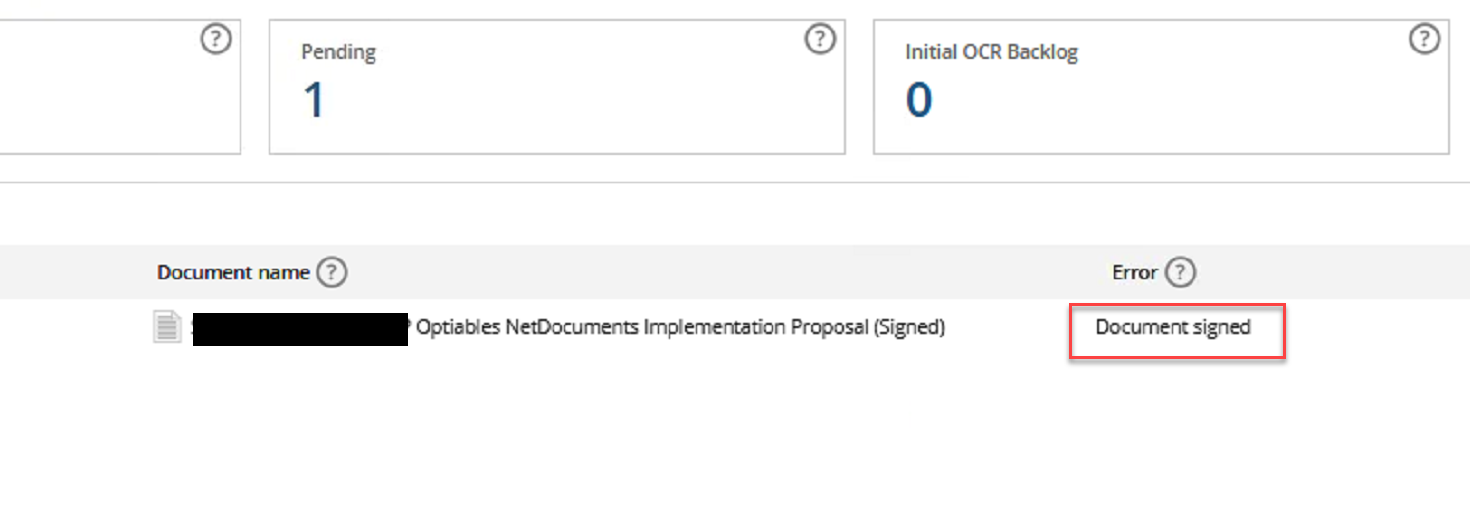
Pull those files up, and they have one thing in common — they’re scans that were signed electronically. This is not an Adobe problem. DocuSign, Adobe Sign, Acrobat, or any other e-signature product applies a digital certificate to the finished file, and they all produce the same result.
NetDocuments is skipping these on purpose. Here’s why and how to fix it.
Why OCR Can’t Touch a Signed Document
OCR is not a read-only operation. It opens the PDF, recognizes the text in the image, and writes an invisible text layer back into the file. The file that comes out is not the file that went in.
A digital signature is a hash of the file’s exact bytes at the moment it was signed. When you open the document later, Acrobat recomputes that hash and compares. Match, and the signature is valid. One byte different, and it isn’t.
So OCR and digital signatures can’t coexist. One exists to change the file; the other exists to prove the file hasn’t changed. Run OCR on a signed PDF and you get a searchable document with a broken signature and a banner saying the document has been altered since signing.
NetDocuments skips the file instead.
This Isn’t a NetDocuments Limitation
Almost every OCR engine behaves this way. OCRmyPDF, the open-source engine underneath a large number of document platforms, halts with the error “Input PDF has a digital signature. OCR would alter the document, invalidating the signature.” Acrobat won’t OCR a signed file either.
No tool escapes the underlying constraint — you cannot add a text layer to a signed PDF and keep the signature valid. That’s the PDF specification, not a vendor decision. What differs between products is whether they’ll let you make that trade anyway. Most just refuse. A few give you a switch.
Saving It as a New Version Doesn’t Help
The obvious next thought is to create a new version of the document and let OCR process that one instead.
It won’t work. The signature is embedded in the PDF, not in NetDocuments. Creating a version stores another copy of the same file under the same document ID — the bytes don’t change. OCR looks at the new version, finds the same signature, and skips it for the same reason.
Third-Party OCR Will Process Them
This is the fix, and it works in bulk.
Symphony OCR from Trumpet is one of the products that gives you the switch. Its Analyzer has a setting called Process digitally signed PDFs. Out of the box, Symphony behaves like ndOCR — signed documents go into a “Digitally Signed” list and get skipped. Turn the setting on, and it processes them in place across the repository, no matter how many there are.
It writes the result as a new version. The signed original stays as the prior version, and rolling the document back recovers the original digital signature if you ever need to prove the executed file wasn’t materially modified by OCR.
That’s the trade, and you should make it deliberately: the current version is searchable, but its signature is dead, and the intact signed original is one rollback away.
For a handful of documents, you can do the same thing by hand—print the PDF to a new file, which removes the signature, OCR it, and save it as a new version. That doesn’t scale past a few dozen, and printing rasterizes the pages, so use it for one-offs and let Symphony handle volume.
Optiable has implemented NetDocuments at over 550 law firms since 2010, working with firms of 10 to 150 users. Schedule a free consultation at go.oncehub.com/optconsult or call 1-800-399-0852.