

As a NetDocuments administrator, you may want to know which users or workspaces are actively using SetBuilder. Unfortunately, there’s no built-in admin report that provides this information directly. However, there’s a clever workaround using NetDocuments’ Advanced Search feature that can providevaluable insights into active SetBuilder usage across your repository.
The Problem with searching by Sets
You might think searching for the “Sets” folder would do the trick, but here’s the catch: NetDocuments automatically creates a “Sets” folder in every workspace, whether anyone uses SetBuilder or not. This means a simple folder search will return every single matter in your system, providing no useful information about actual usage.
The Solution: Search for Folders created by the SetBuilder Agent

The key to identifying active SetBuilder usage is searching for folders created by the SetBuilder Agent. Here’s why this works: the SetBuilder Agent creates a folder only when someone is actively creating or working with sets in SetBuilder.
Step-by-Step Instructions
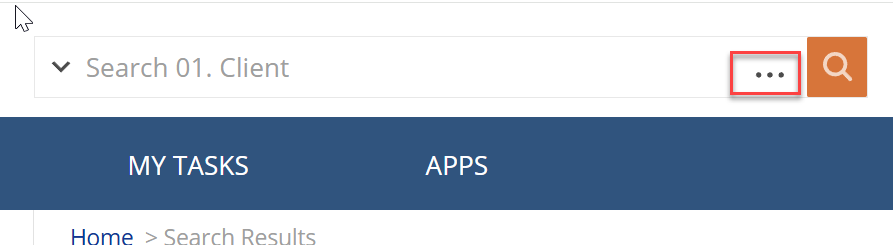
Step 1: Open Advanced Search in NetDocuments
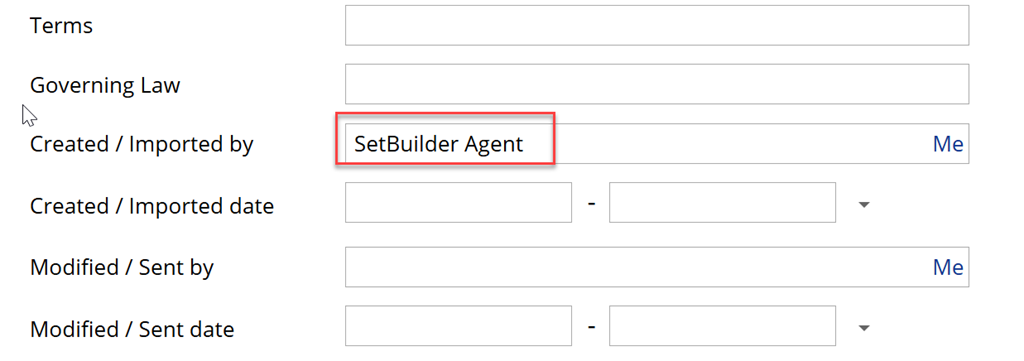
Step 2: For Created by type in “SetBuilder Agent”
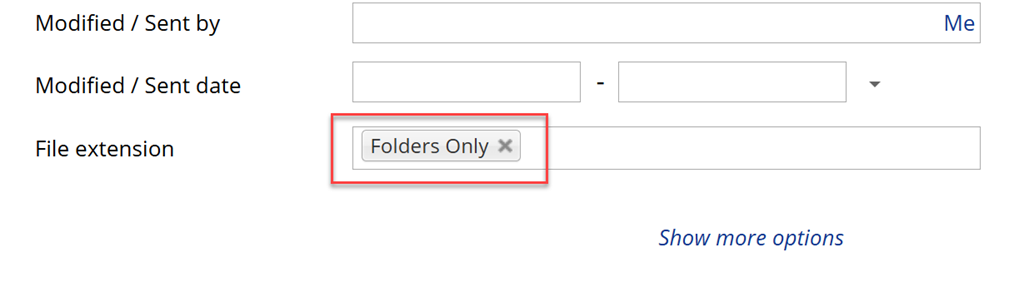
Step 3: For File Extension, choose Folders only
Step 4: Click Search
Note: You can also just paste this string into the search bar: =6(SetBuilder Agent) =11(ndfld)
You will now get a list of every set that has been created

Export Your Results to Excel
Once your search results appear, you can create a formal report for tracking or presentation:
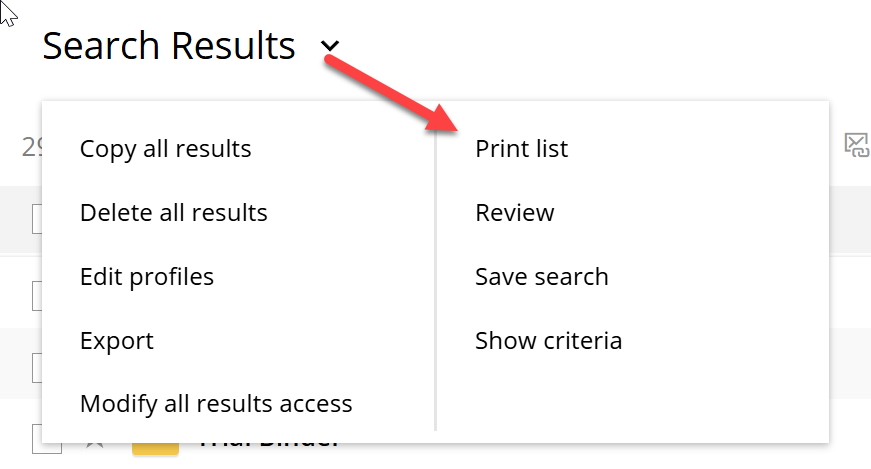
Step 1: Choose Print List
Step 2: Select which Profile Attributes you want to see in the report
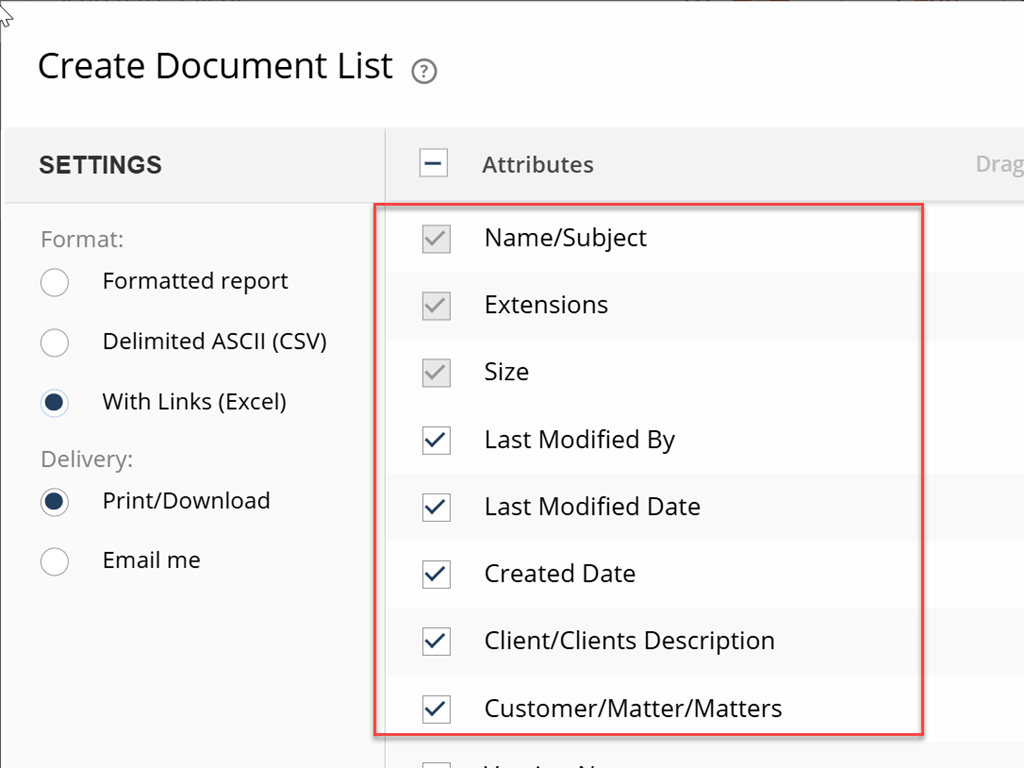
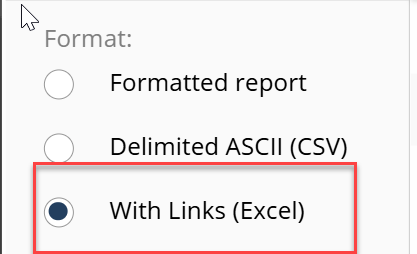
Step 3: Choose with Links (Excel) and Click OK
Step 4: A Report in Excel will now download
This Excel export gives you a tangible record of SetBuilder adoption that you can:
- Share with firm leadership to demonstrate feature usage
- Track over time to measure adoption growth
- Use for identifying workspaces that might benefit from additional SetBuilder training
- Cross-reference with practice groups or departments for targeted support
What the Results Tell You
The search results will show you every workspace where SetBuilder is being actively used. Each result represents a matter or workspace where:
- Users have created sets
- SetBuilder functionality is being utilized
- Active document organization through sets is happening
Why This Matters
Understanding SetBuilder adoption across your firm helps you:
- Identify power users who might serve as champions for broader adoption
- Determine training needs by seeing which practice groups or departments aren’t using the feature
- Justify NetDocuments investment by demonstrating feature utilization
- Target support resources to teams actively using advanced features
Additional Considerations
Keep in mind that this search method identifies workspaces with SetBuilder activity, not individual users or usage frequency. For more granular usage data, you may need to:
- Review individual workspace activity
- Survey users directly about their SetBuilder workflows
- Monitor training completion and feature adoption over time
Need Help Optimizing NetDocuments?
If you’re looking to better understand how your firm uses NetDocuments features like SetBuilder, or if you need help improving adoption of advanced functionality, Optiable specializes in NetDocuments optimization and administrator support. We help firms maximize their NetDocuments investment through strategic feature adoption, training, and ongoing administrative guidance.